
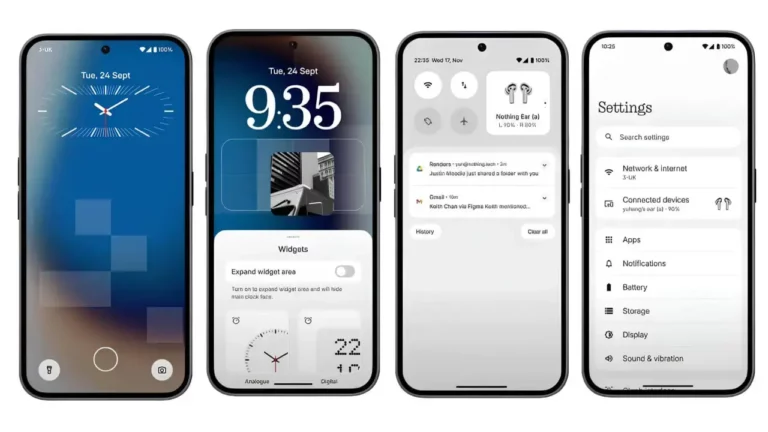
London-based tech brand Nothing has officially rolled out Nothing OS 4.0, the latest iteration of its custom Android-based operating system. The update brings several new features designed to enhance personalization, improve usability, and leverage AI for smarter device management.
Extra Dark Mode for Comfort Viewing
One of the standout features in Nothing OS 4.0 is the Extra Dark Mode, a refined version of the traditional dark mode that reduces eye strain in low-light conditions. The new system-wide effect deepens contrasts, making it easier on the eyes while conserving battery life, especially on OLED displays.
AI Usage Dashboard for Smarter Insights
The update also introduces an AI-powered Usage Dashboard, allowing users to gain detailed insights into their screen time, app consumption, and activity trends. Nothing says this feature has been designed to help users better manage their digital well-being by offering AI-driven suggestions to balance productivity and leisure.
Improved Performance and Smooth Navigation
Nothing OS 4.0 also focuses on overall system stability and performance refinements. Faster app launches, smoother animations, and improved multitasking are part of the update, ensuring a more seamless experience across supported Nothing devices.
More Customization and User Control
Users can now take advantage of expanded customization options, including new widgets, lock screen improvements, and enhanced notification controls. These updates aim to make Nothing OS more flexible, giving users greater control over how they interact with their smartphones.
Rollout and Availability
The Nothing OS 4.0 update is being rolled out gradually to eligible devices, starting with the Phone (2) series before extending to older models. Users can check for availability in system settings or wait for the automatic notification to download and install.