
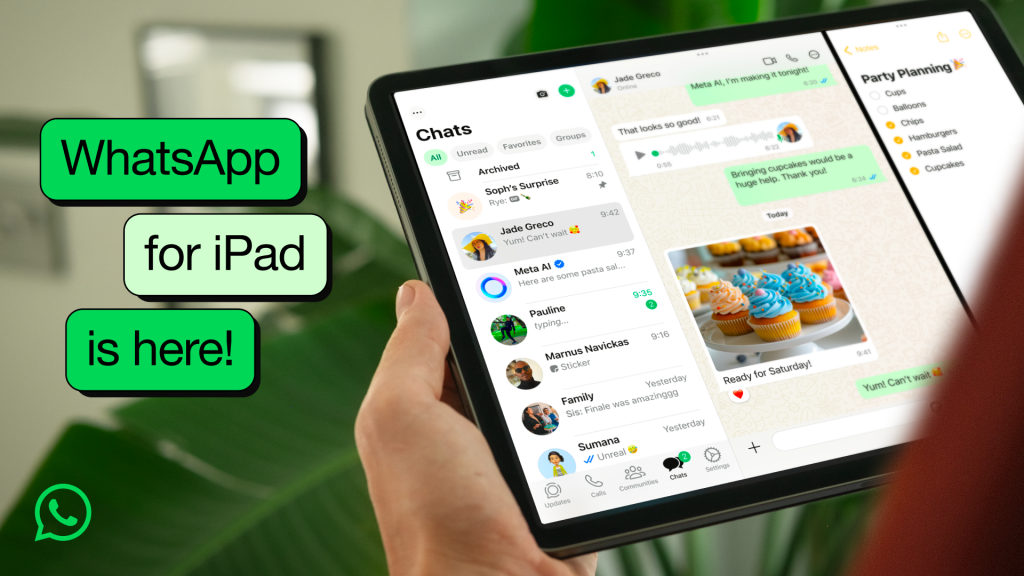
In a long-awaited move, WhatsApp has officially released a dedicated app for Apple iPad users, now available for download on the App Store. The new launch marks a major milestone for the Meta-owned messaging platform, which had previously limited its full-featured experience to mobile phones and web platforms.
Seamless Cross-Device Functionality
The new iPad version of WhatsApp brings the familiar user experience from the iPhone to the larger screen, supporting both landscape and portrait orientations. Users can now send messages, make voice and video calls, and share media directly from their iPad without needing to rely on third-party workarounds or the web version.
Importantly, the app supports WhatsApp’s multi-device capability, allowing users to link their iPad to their existing WhatsApp account. Once linked, the iPad functions independently, meaning the connected smartphone does not need to stay online for the app to work.
Key Features
-
Optimized iPad Interface: The layout has been redesigned for larger displays, offering a dual-pane view for easier navigation and message management.
-
Cross-Platform Syncing: Messages, media, and chats sync securely across all linked devices, including iPhones, iPads, Macs, and PCs.
-
End-to-End Encryption: Like its smartphone counterpart, the iPad app maintains WhatsApp’s strict end-to-end encryption for private and secure communication.
-
Voice & Video Calls: Users can place and receive encrypted voice and video calls directly from the iPad, a long-missing feature for many Apple tablet users.
How to Get Started
To install WhatsApp on your iPad:
-
Visit the App Store on your iPad.
-
Search for WhatsApp Messenger.
-
Download and install the app.
-
Open the app and use the QR code scanner on your phone's WhatsApp to link the device under Settings > Linked Devices.
Once the iPad is linked, users will see all their recent chats and contacts, with full functionality mirroring that of the phone app.
A Long Time Coming
Though rumors and beta versions had surfaced over the past few years, WhatsApp had yet to deliver a polished, standalone tablet experience—until now. This release responds to growing demand from users who sought a native app that better utilized the capabilities of the iPad.
Looking Ahead
The iPad release is part of WhatsApp’s broader strategy to enhance usability across platforms. With increasing emphasis on device independence, multi-device support, and business integration, this move further entrenches WhatsApp as a critical communication tool in both personal and professional spheres.
Users and tech analysts alike see the release as a much-needed evolution of the app’s ecosystem—especially at a time when tablets are playing a greater role in hybrid work and digital communication.