 TECH TIMES NEWS
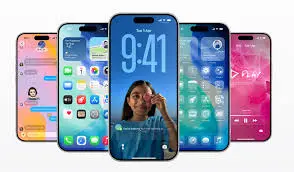
Apple has officially begun rolling out the iOS 26.2 update for eligible iPhone models, introducing a refreshed Liquid Glass customisation system, notable refinements to Apple Music, and a host of under-the-hood improvements aimed at enhancing everyday usability. The update is now available globally as an over-the-air (OTA) download.
Liquid Glass Customisation Gets More Control
One of the headline additions in iOS 26.2 is the expanded Liquid Glass interface customisation, allowing users to fine-tune transparency levels, motion depth, and reflection intensity across system elements. Apple has also added new presets that dynamically adapt based on lighting conditions and wallpapers, giving iPhones a more immersive visual experience without impacting performance.
Apple Music Receives Smart Playback Enhancements
Apple Music has been updated with improved queue management, smarter song transitions, and enhanced recommendation logic. The update introduces subtle UI refinements, faster album loading, and better playlist continuity, especially when switching between devices using the same Apple ID.
System Performance and Stability Improvements
Beyond visual changes, iOS 26.2 focuses heavily on system optimisation. Apple claims improved animation smoothness, reduced app launch times, and better memory management on older iPhone models. Several background processes have reportedly been streamlined to improve battery efficiency during prolonged usage.
Bug Fixes and Security Patches Included
As with every point release, iOS 26.2 includes multiple bug fixes and security updates. These address issues related to notification delays, occasional UI freezes, and connectivity inconsistencies with Bluetooth accessories. Apple has also patched vulnerabilities that could potentially affect system data and app permissions.
Availability and Supported Devices
The iOS 26.2 update is available for all iPhones compatible with iOS 26. Users can download the update by navigating to Settings > General > Software Update. Apple recommends backing up devices before installation to ensure a smooth update process.